How Yadxy Works: A Complete Guide for Teachers
Everything you need to know to automate your tuition fee management.
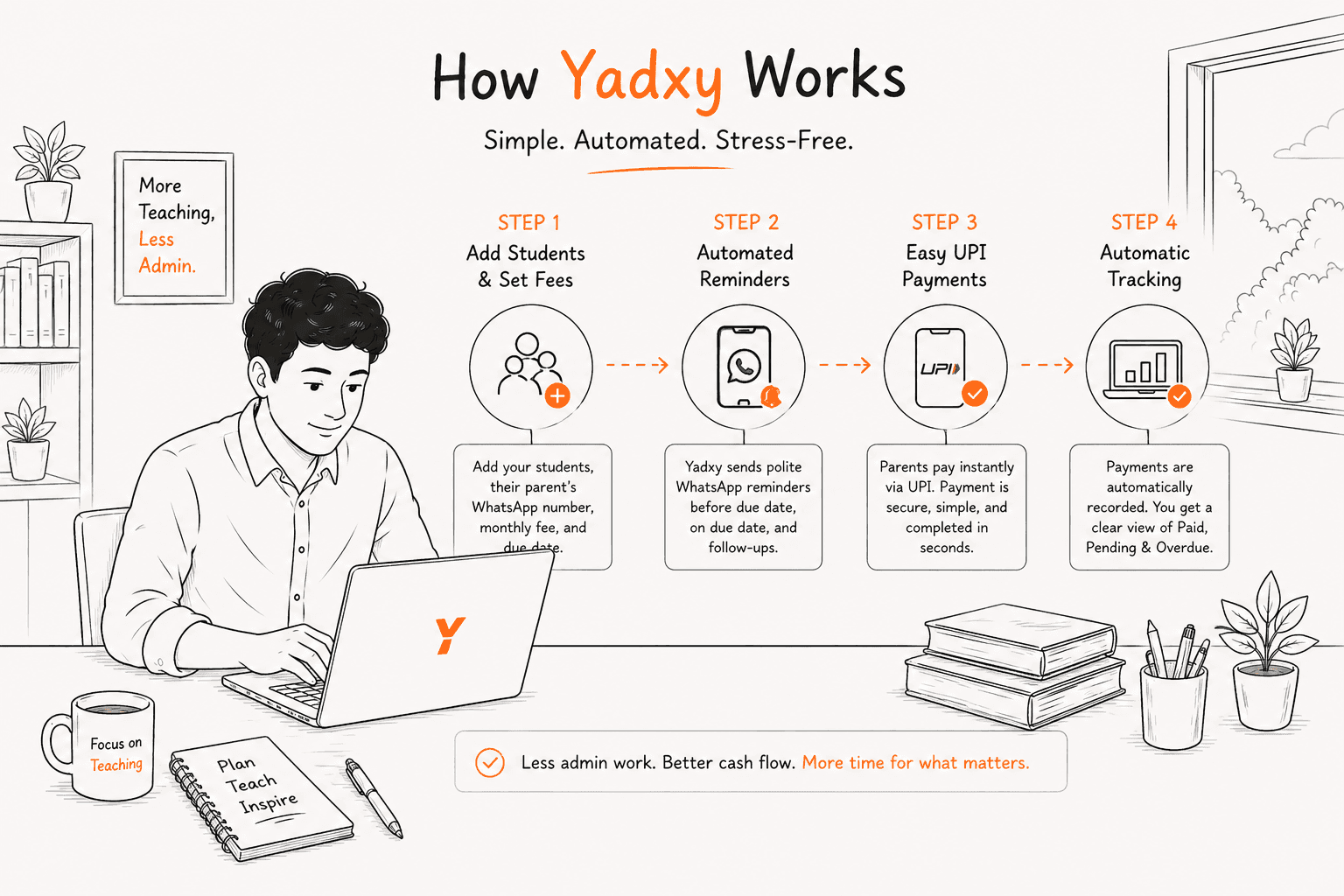
Transitioning from manual spreadsheets to an automated system can feel daunting. But what if the new system is actually simpler than the old one?
Yadxy is designed specifically for tuition teachers and coaching institutes. It eliminates the complexity of accounting software and focuses purely on what matters: tracking who has paid, who hasn't, and gently reminding those who are overdue.
Step 1: Create Your Account
Start by signing up on Yadxy.
It takes just a few seconds using your email or Google account.
No technical setup required.
👉 You’re ready to begin instantly.
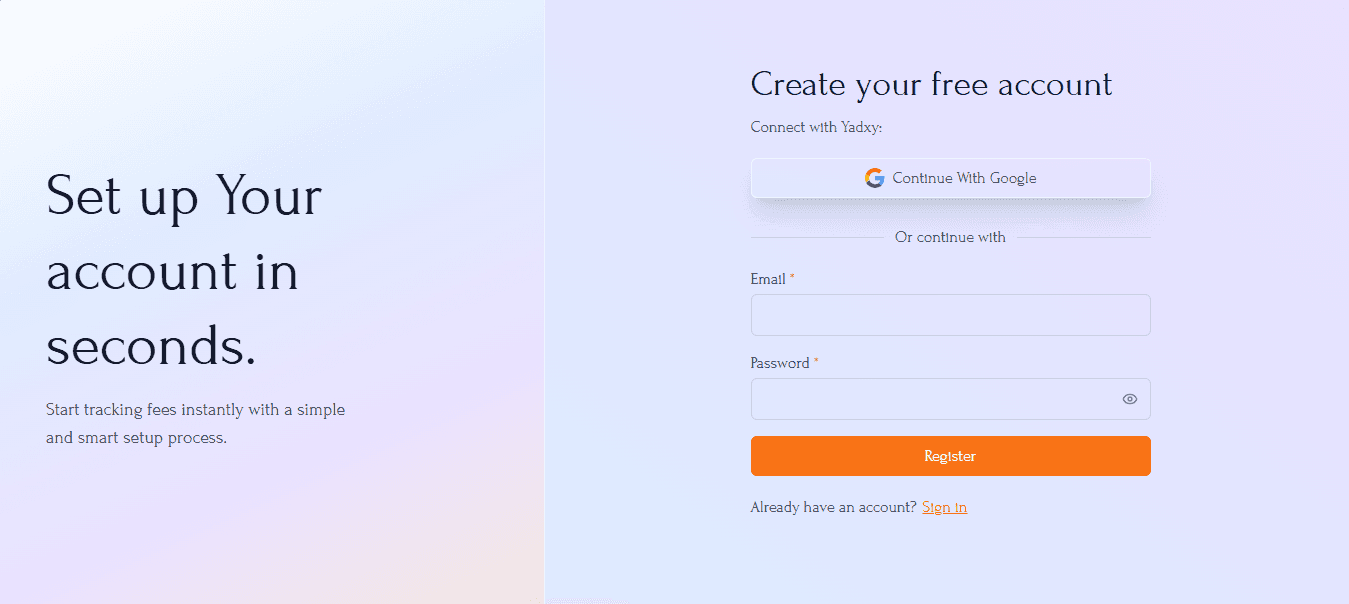
Simple signup process — takes less than 30 seconds.
Step 2: Verify Your Email
After signing up, you’ll receive a verification email.
Click the link to activate your account.
👉 This ensures your account is secure and ready to use.
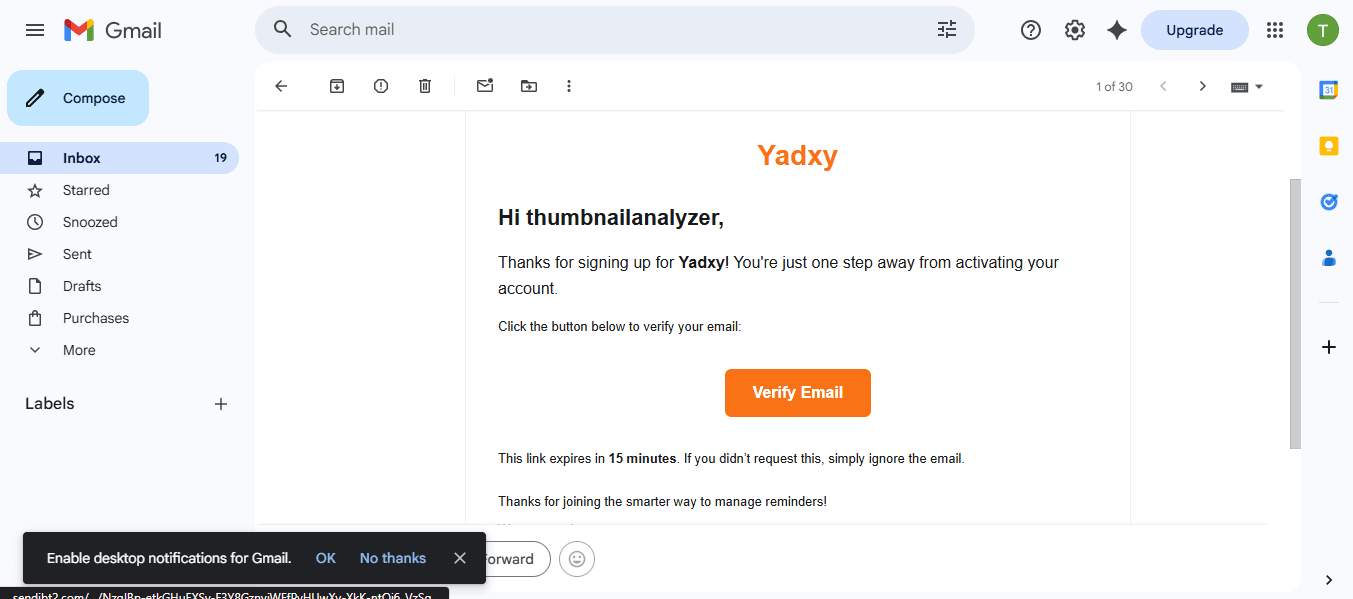
One-click email verification to activate your account.
Step 3: Complete Your Profile
Once verified, you’ll be asked to complete your profile.
Add basic details like:
- Your name
- Phone number
- Tuition or coaching class name
👉 This helps personalize your dashboard.
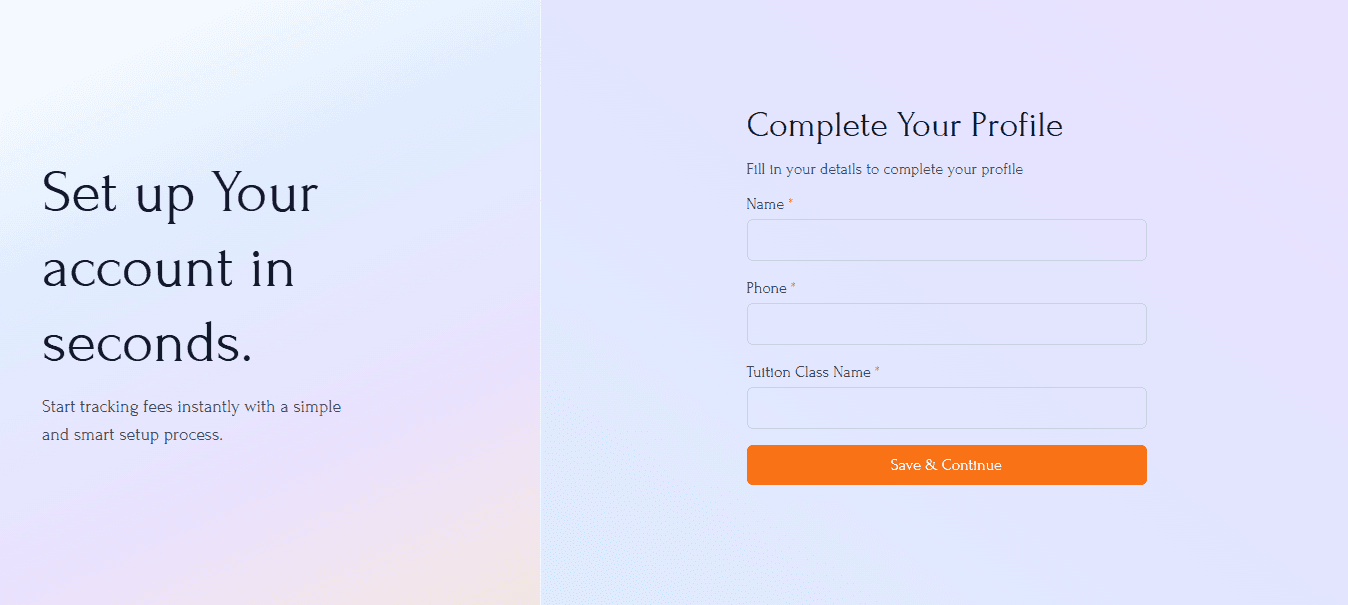
Quick setup with basic details.
Step 4: Access Your Dashboard
After setup, you’ll land on your dashboard.
This is your control center where you can:
- View students
- Track fees
- Manage reminders
👉 Everything in one place.
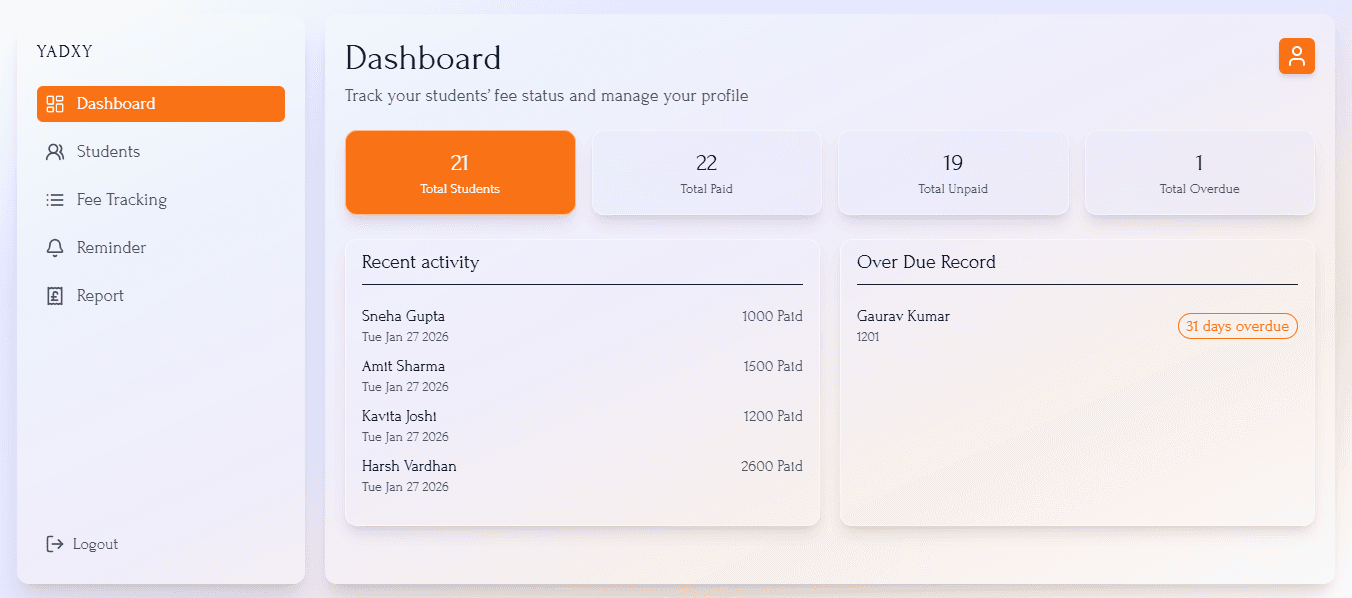
Your complete fee management system in one place.
Step 5: Add Your Students
Now comes the core part.
Go to the Students section and add:
- Student name
- Contact number
- Monthly fee
- Due date
👉 Once added, your system is ready.
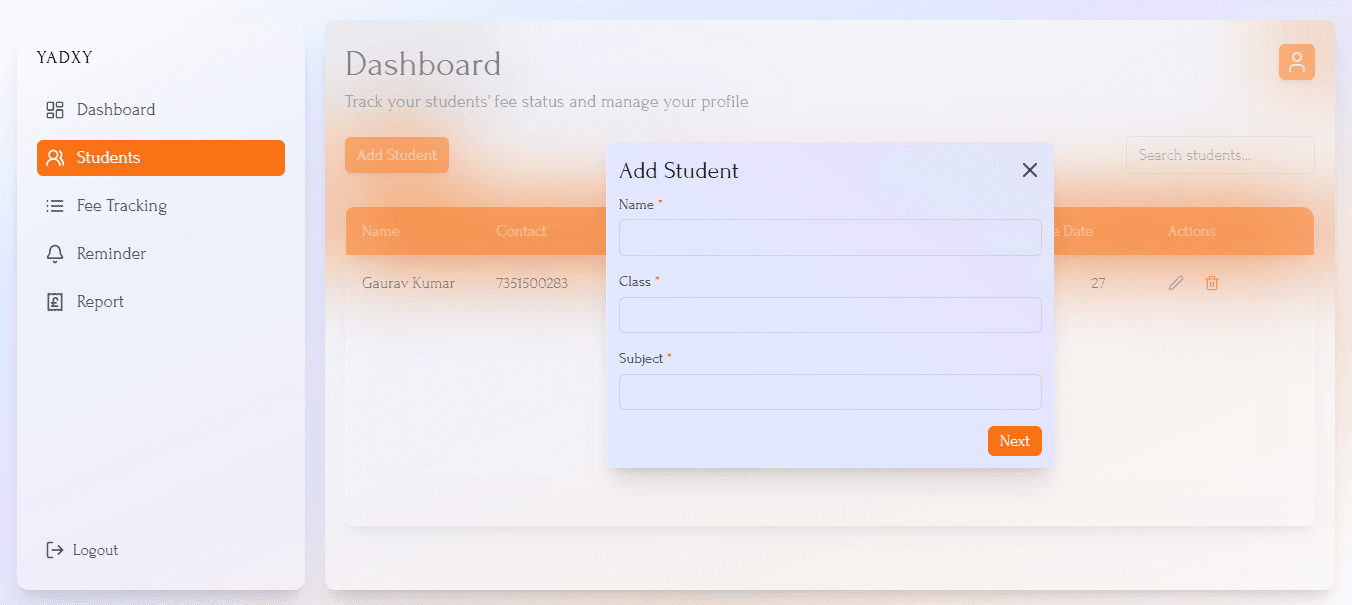
Add students in seconds — no spreadsheets needed.
Step 6: Automated WhatsApp Reminders
This is where Yadxy truly saves your time.
Instead of manually messaging every parent, Yadxy sends:
- Reminder before due date
- Reminder on due date
- Follow-ups if overdue
Example:
Let’s say you have 30 students.
Instead of checking each one manually and sending 30 messages…
👉 Yadxy does it automatically.
No awkward conversations. No repeated follow-ups.
Step 7: Easy UPI Payments
Parents receive a WhatsApp message with a payment link.
They can pay instantly using:
- Google Pay
- PhonePe
- Paytm
👉 Payments are automatically tracked in your dashboard.
No need to check bank statements manually.
Step 8: Track Everything in One Place
Your dashboard gives you a clear view of:
- Paid students
- Pending fees
- Overdue payments
👉 No confusion. No manual tracking.
Final Thoughts
Teaching already requires focus, patience, and time.
Managing fees shouldn’t add extra stress to it.
Even small improvements in how you manage payments
can save hours every month — and make your work feel lighter.
👉 Start managing your tuition fees the smarter way: https://yadxy.com